
Tired of propping your phone against coffee mugs or stacks of books? A mobile holder transforms how you interact with your device, turning shaky hand-held moments into stable, hands-free experiences. Whether you’re video calling family, following recipes, or binge-watching shows, proper mobile holder usage eliminates neck strain while boosting productivity. This guide walks through everything from choosing the right holder to mastering advanced positioning techniques. You’ll discover optimal setups for home, office, and travel scenarios while avoiding common stability issues that plague most users.
Match Your Mobile Holder to Your Lifestyle Needs
Select the Right Holder Type for Your Daily Routine
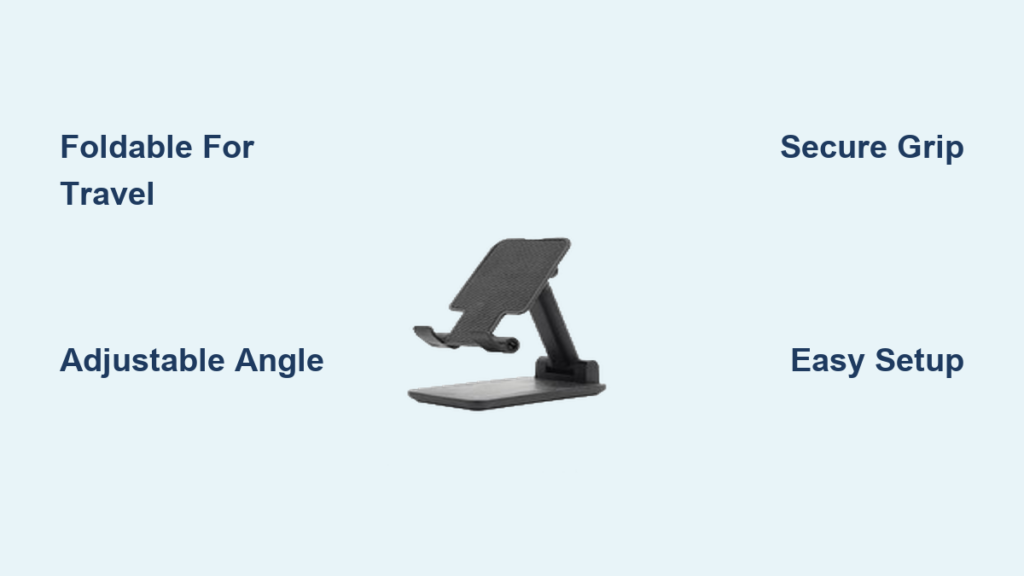
Foldable stands collapse to pocket-size, perfect for commuters and frequent travelers. These aluminum or plastic frames unfold in seconds, offering multiple viewing angles without bulk. If you’re constantly on the move, these provide the ultimate portability while maintaining functionality. Adjustable stands with rotating joints and telescoping arms give you infinite positioning options—ideal for kitchens where recipe height varies or offices requiring precise video call angles. Desk mounts clamp permanently to workstations, creating rock-solid platforms for heavy phones or tablet-phone combinations that won’t budge during critical video conferences.
Verify Size Compatibility Before Purchase
Measure your phone’s width and thickness before buying a holder. Universal holders accommodate most 4-7 inch devices, while model-specific designs fit particular phones precisely. If you use protective cases, verify the combined thickness doesn’t exceed the holder’s capacity—rugged cases often push these limits. Test the fit by placing your cased phone in the holder’s grips; you should feel secure tension without excessive force. A properly fitted holder prevents slippage during use while ensuring all ports and buttons remain accessible.
Perfect Mobile Holder Setup in 4 Essential Steps
Prepare Your Surface for Maximum Stability
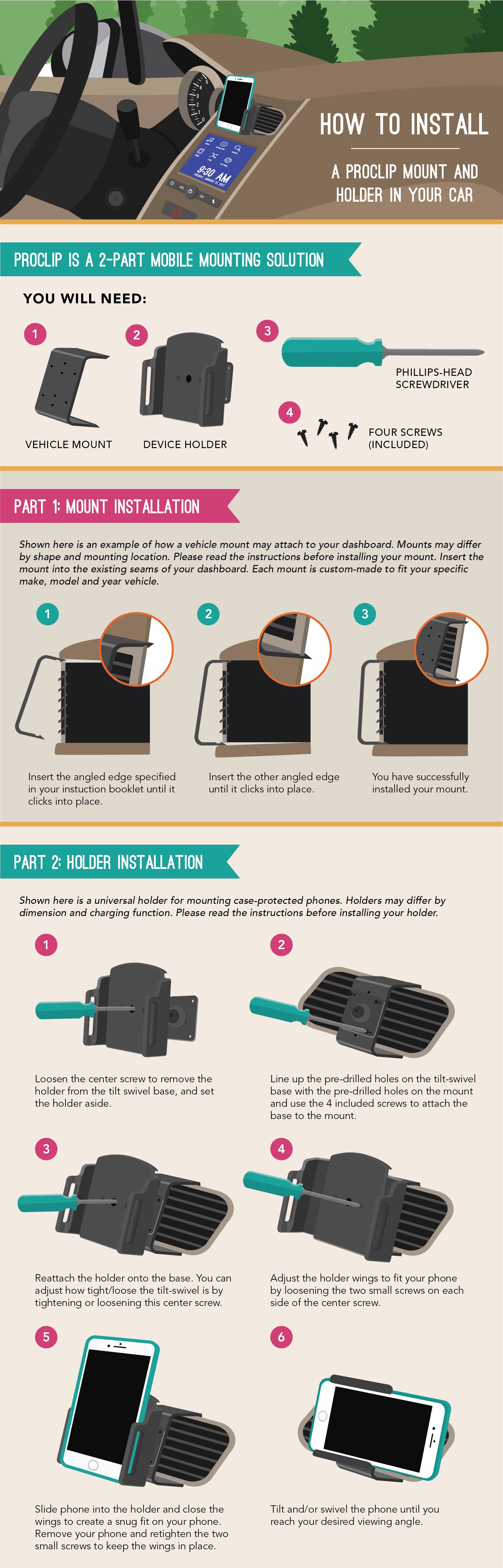
Clean placement surfaces with a damp cloth to remove dust and oils that reduce grip. Flat, non-slip surfaces prevent gradual sliding during use—textured desk mats work better than smooth glass tops. For desk mounts, ensure clamp edges won’t damage furniture finishes by checking manufacturer recommendations. When using suction cup mounts in vehicles, clean the dashboard with an alcohol pad and wait 15 minutes before mounting to ensure proper adhesion.
Position Your Phone for Optimal Viewing and Function
- Open holder fully until you hear the locking mechanism click into place
- Center phone horizontally within grips with camera facing toward you
- Adjust angle using both hands—avoid forcing joints beyond their natural range
- Test stability by gently tapping screen corners to check for wobbling
Pro tip: Position your charging port accessibly when using for extended periods—most quality holders leave ports unobstructed, but verify this before final positioning. For video calls, ensure the front camera sits at eye level when you’re in your natural sitting position.
Kitchen Mobile Holder Setup for Hands-Free Cooking
Position Holder for Safe Recipe Viewing
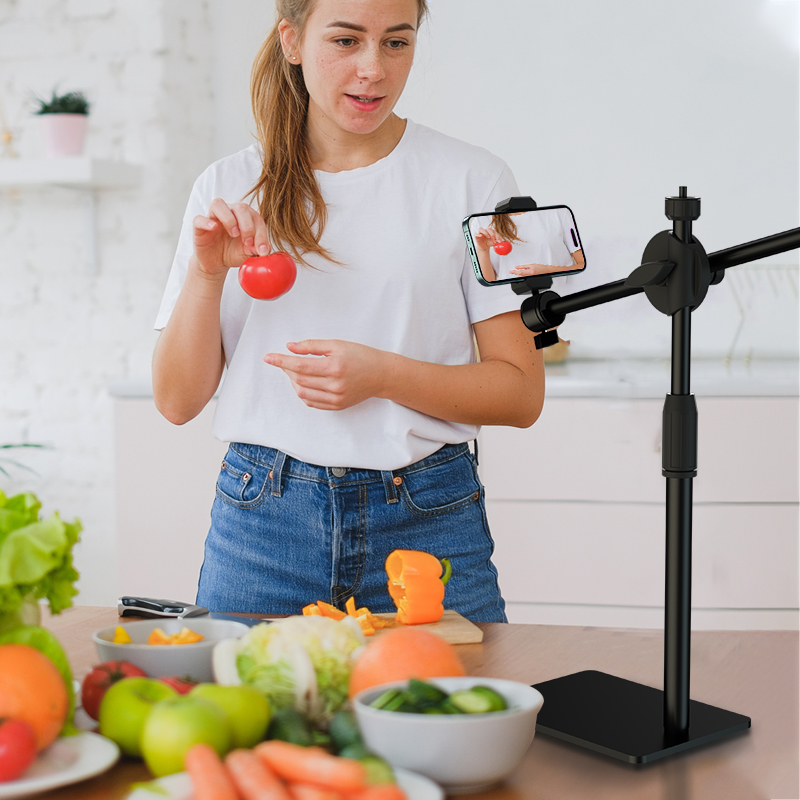
Place your mobile holder 12-18 inches from stovetop, angled away from steam and splatter. The optimal viewing angle positions the screen at eye level when standing naturally, preventing neck strain during cooking. For recipe apps, enable auto-rotate and position your phone vertically to maximize ingredient list visibility. Keep the holder away from heat sources—most plastic components can warp at temperatures above 140°F.
Avoid Common Kitchen Mistakes
Many users place holders too close to sinks, risking water damage from splashes. Position at least 12 inches from water sources and wipe the holder immediately if splashed. Don’t use holders with rubber grips directly on hot surfaces—transfer to a trivet first. When following video tutorials, set volume slightly higher than normal to overcome kitchen noise, but keep it low enough to hear timers and safety alerts.
Professional Office Mobile Holder Configuration
Optimize Video Conference Setup for Maximum Impact
Mount your holder at monitor height, creating direct eye contact through the camera for professional framing. Position 20-24 inches from your seating position—any closer creates unflattering close-ups, any farther makes your presence feel distant. Many professionals place phones between keyboard and monitor, maintaining peripheral notification visibility without disrupting workflow. This simple mobile holder usage technique transforms your video presence from amateur to executive.
Create Dual-Screen Productivity Workflows
Use desk mounts to position your phone as a secondary reference screen at a 45-degree angle to your main monitor. This setup allows quick glances during document editing or meeting participation without losing focus on your primary task. For calendar monitoring and instant message checking, position the holder just outside your direct line of sight—this maintains productivity while keeping communication channels open. Proper mobile holder usage in office settings can increase task-switching efficiency by up to 30%.
Travel and Vehicle Mobile Holder Applications

Secure Dashboard Navigation Mounting
Clean your mounting surface with an alcohol pad before applying suction cups and wait 15 minutes for optimal adhesion. Position the holder within peripheral vision, typically left of the steering wheel for right-handed drivers, ensuring you don’t need to take your eyes off the road for extended periods. Test stability by driving over speed bumps before relying on it for full route navigation—most quality holders withstand normal road conditions but may shift on rough terrain.
Master Airplane Tray Table Setup
Foldable stands excel in confined spaces—position vertically for movie viewing or horizontally for document editing. Ensure your holder folds completely for takeoff/landing compliance, as airlines require all loose items to be stowed during these phases. Many frequent travelers attach holders to seat-back pockets using included clips for hands-free entertainment during cruising altitude. Always verify that your mobile holder usage complies with airline electronic device policies before deployment.
Troubleshoot Common Mobile Holder Issues Immediately
Fix Stability Problems in Seconds
Wobbling surfaces: Place a rubber mat or folded paper under the holder base to create a stable foundation. Phone slippage: Clean grip surfaces with a damp cloth—oils from hands reduce traction over time. Joint looseness: Tighten adjustment screws using included tools, checking monthly for wear. If your holder continues to wobble after these fixes, you may need to replace worn rubber grips or consider a sturdier model.
Resolve Compatibility Conflicts Quickly
Case interference: Remove your phone case temporarily or choose holders with wider grips designed for cased phones. Port blockage: Reorient your phone horizontally, or select holders with strategic cutout designs that maintain access. Button coverage: Slide your phone slightly upward in the grips, ensuring volume and power buttons remain accessible for emergency use. Remember that proper mobile holder usage requires periodic repositioning as your phone’s needs change throughout the day.
Advanced Mobile Holder Positioning Techniques
Implement Multi-Device Coordination Systems
Position tablet holders behind phone stands for seamless dual-screen workflows. Align both devices at identical heights for natural visual transitions between screens. Many professionals use this setup for research materials on tablets while maintaining primary communication on phones. When using multiple holders, maintain consistent angles to prevent neck strain from constant head movement between screens.
Adapt Mobile Holders for Accessibility Needs
Users with limited mobility benefit significantly from adjustable stands positioned within comfortable reach. Voice control integration works optimally when phones remain stationary—position holders at consistent heights for reliable voice recognition. For users with visual impairments, angle the screen to minimize glare while maintaining maximum brightness visibility. Proper mobile holder usage can transform accessibility for users with various physical challenges.
Mobile Holder Maintenance Essentials
Implement Weekly Cleaning Protocol
Wipe all surfaces with a microfiber cloth dampened with water—never use harsh chemicals that degrade rubber components and scratch aluminum finishes. Focus particularly on grip areas where oils accumulate from frequent handling. For holders with moving parts, gently work the joints while cleaning to remove debris from crevices. Allow holders to air dry completely before reuse to prevent moisture damage.
Store Your Holder Properly for Longevity
Store foldable models fully closed in cool, dry locations away from direct sunlight—UV exposure weakens plastic components over time. When traveling, use included protective cases to prevent hinge damage from bag contents. Never store holders under heavy objects that could bend or warp the structure. Quality aluminum models typically last 2-3 years with daily use when properly maintained, while plastic alternatives may require annual replacement.
Quick Reference Mobile Holder Setup Guide
| Scenario | Holder Type | Optimal Angle | Distance |
|---|---|---|---|
| Kitchen cooking | Adjustable stand | 60° vertical | 12-18 inches |
| Video calls | Desk mount | 90° vertical | 20-24 inches |
| Bed viewing | Foldable stand | 45° horizontal | 8-10 inches |
| Car navigation | Dashboard mount | 30° vertical | Arm’s length |
Mastering mobile holder usage transforms every interaction with your device—from eliminating neck strain during long calls to creating professional video appearances. Start with basic positioning, then gradually incorporate advanced techniques as comfort grows. Your phone becomes more than a handheld device—it becomes an integrated part of your daily workflow. Implement these techniques today and experience the difference proper mobile holder usage makes in your productivity and comfort.


