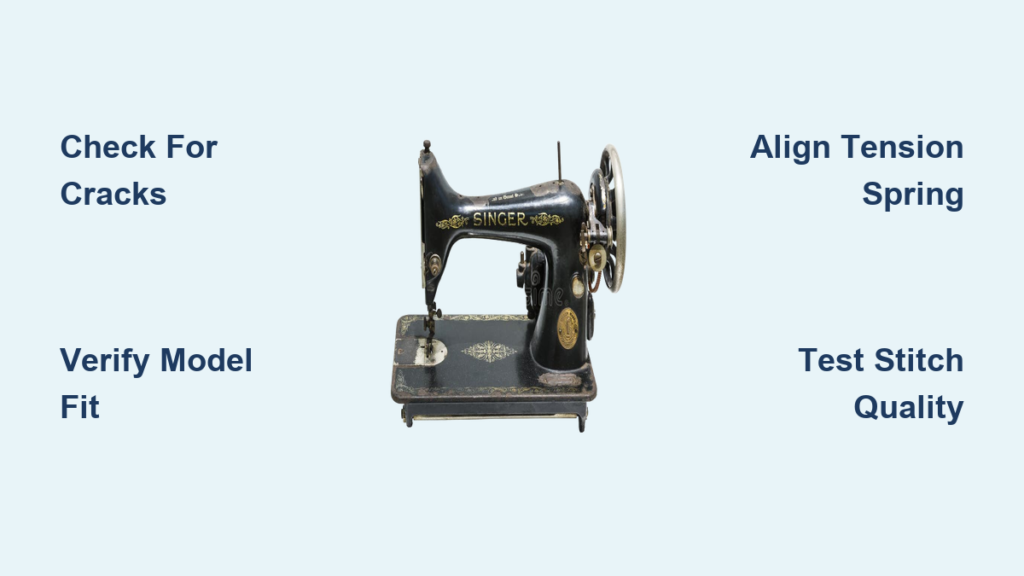
That frustrating bird’s nest of thread under your fabric isn’t just a minor annoyance—it’s your Singer sewing machine screaming for help. When perfect stitches suddenly turn into tangled messes or that ominous clicking sound replaces your machine’s smooth hum, the bobbin holder is often the culprit. Replacing this small but critical component solves 80% of persistent tension issues, saving you $50-100 in repair fees and getting you back to sewing in under 30 minutes. Whether you’re troubleshooting a vintage Featherweight or a modern 6000 series, this guide delivers the exact steps for how to replace bobbin holder in Singer sewing machine without professional help. You’ll learn to diagnose replacement needs, select the correct part, and install it confidently—all with basic tools.
Why Your Singer Bobbin Holder Needs Replacement
Visible Cracks and Structural Damage
Run your fingertip along the bobbin holder’s edge—if you feel ridges, chips, or hairline fractures, immediate replacement is essential. These flaws prevent proper thread tensioning and cause skipped stitches. On plastic cases (common in newer Singer models), check for stress fractures radiating from screw holes. Even microscopic cracks compromise structural integrity, leading to erratic thread feeding. Metal holders show wear as bent edges around the tension spring, which snags thread during rotation.
Unfixable Thread Tension Failures
When bottom stitches stay loose despite upper tension adjustments, your bobbin holder’s spring has likely fatigued. This manifests as consistent thread nesting under fabric after rethreading or inconsistent stitch quality across different fabrics. Front-loading models (like Singer 15 series) may produce rhythmic clicking sounds as the damaged holder grinds against the shuttle race. Top-loading machines (6000 series) often exhibit sudden tension drops during zigzag stitches—a dead giveaway for holder failure.
Needle Collision Evidence
Remove your needle plate and inspect the bobbin holder for shiny abrasion marks. These indicate needle strikes caused by misalignment or internal damage. Even tiny burrs from repeated impacts will snag thread mid-stitch, causing frequent breakage. If you’ve bent a needle recently, always replace the holder afterward—hidden micro-dents accelerate wear even if the holder appears intact.
Essential Tools for Bobbin Holder Replacement

Basic Toolkit Requirements
Gather these before starting: a #0 or #1 Phillips screwdriver (for needle plate screws), tweezers for debris removal, and a flashlight to illuminate the shuttle race. A flathead screwdriver helps older models with stubborn latches. Keep a small container nearby—Singer machines use tiny screws that vanish instantly into carpet fibers. Never skip the lint-free cloth; residual oil attracts lint that sabotages your new holder.
Matching Your Singer Model Correctly
Your machine’s model number (found on the front panel or bedplate) dictates the exact bobbin holder. Class 15 holders fit vintage 15/66/201 series, while Featherweights (221) require specialized cases. Modern 6000 series use drop-in holders with model-specific notches—using a 6180 holder in a 6235 causes immediate tension failure. Always verify part numbers via Singer’s online lookup tool; aftermarket cases often omit critical alignment features.
Critical Safety Preparations Before Starting
Power and Needle Protocol
Unplug your machine—never rely on the power switch alone. Singer motors can activate unexpectedly when adjusting the handwheel. Remove the needle completely; even a dull needle poses puncture risks when your focus shifts to the bobbin area. Clear all pins, bobbins, and loose threads from your workspace to prevent accidental ingestion into the mechanism.
Model-Specific Access Points
Front-loaders (15/66 series) require shuttle race cover removal before holder access. Top-loaders (6000+) need only needle plate removal. Vintage Featherweights demand side-panel disassembly—never force components. Study your manual’s diagram first; forcing the wrong latch damages delicate levers.
Removing the Faulty Bobbin Holder
Opening the Bobbin Compartment
Remove 2-3 needle plate screws with your Phillips driver, lifting the plate straight up to avoid warping. Note thread direction as you remove the bobbin—Singer machines require specific unwinding orientations (clockwise for most models). Clear all lint with tweezers; trapped debris mimics holder failure symptoms.
Releasing the Old Holder
Locate the latch: front-loaders have a small lever at the holder’s front, while top-loaders use magnetic/snap systems. Gently depress the latch while cradling the holder—it drops suddenly. Photograph the orientation; the tension spring must face rearward, and the alignment finger must slot into the shuttle race notch. Never pull sideways—this bends retaining clips.
Workspace Clearance
Lift the holder straight out. Inspect the shuttle race for embedded thread fragments using your flashlight. Clean with a soft brush only—metal tools scratch the race surface, causing future tension issues. Verify no screws or clips remain before installing the new holder.
Installing Your New Bobbin Holder

Pre-Installation Verification
Check the new holder for casting flaws or rough edges along the thread path. Lightly oil the tension spring pivot only if your manual specifies it (most modern Singers require zero oil). Over-oiling attracts lint that clogs the mechanism within hours.
Precise Alignment Techniques
Insert the holder so its alignment finger slides into the shuttle race notch. The tension spring must face the machine’s rear on all models. For drop-in systems (6000 series), press firmly until you hear a distinct snap. Front-loaders require a downward twist into the track—listen for the latch click.
Secure Locking Verification
Rotate the handwheel slowly while watching the holder. It must spin smoothly without wobble or binding. If it shifts, debris is still present. Re-clean the race with compressed air (held 6+ inches away). Properly installed holders show zero lateral movement when gently nudged.
Post-Installation Validation
Reassembly Sequence
Replace the needle plate, tightening screws in a star pattern to avoid warping. Install a fresh needle—dull needles cause false tension readings. Rethread using your machine’s diagram, ensuring the bobbin thread seats under the tension spring with correct rotation direction.
Diagnostic Stitch Testing
Sew straight stitches on muslin, then zigzag at medium width. Balanced tension shows identical stitch appearance top and bottom. If bottom threads loop:
– Recheck bobbin thread seating in the spring
– Verify thread unwinds clockwise (for most Singers)
– Adjust upper tension in 0.5 increments only
Solving Common Installation Issues
Holder Won’t Lock Securely
Persistent wobble means either debris in the race or incorrect holder type. Double-check your model number against the part number—Class 15 and Class 66 holders look identical but won’t lock properly if mismatched. Clean the race with a toothpick wrapped in microfiber cloth.
Ongoing Tension Problems
If bottom stitches stay loose after replacement:
– Confirm you’re using Singer-specific bobbins (generic bobbins vary by 0.05mm)
– Ensure thread passes under the tension spring finger
– Never adjust upper tension beyond 4.5 for cotton—this masks holder misalignment
Grinding or Clicking Noises
These indicate incomplete seating. Remove and reinstall while watching the alignment finger. If noise persists, check for needle strikes—install a new needle and verify needle-bar timing. Bent needles hitting the holder create metallic scraping sounds.
Model-Specific Installation Tips
Vintage Front-Loaders (15/66/201 Series)
Slide the holder into the shuttle race track at a 15-degree angle, then twist downward until it clicks. Original holders fit tighter than aftermarket versions—gently tap misaligned cases with a plastic mallet. Never force installation; vintage shuttle races crack easily.
Modern Top-Loaders (6000+ Series)
Drop-in holders require magnetic alignment—listen for two distinct snaps. The case finger must point precisely toward the machine’s rear. Aftermarket holders often fit loosely; apply slight upward pressure during sewing until the magnet seats fully.
Featherweights (221 Series)
Remove the entire slide plate (not just the cover) using a #00 screwdriver. Aluminum bodies scratch easily—use plastic tweezers. Original holders cost $45+; affordable aftermarket versions work fine for daily use but may require tension spring adjustment.
Maximizing Holder Longevity
Daily Maintenance Habits
Remove lint after every project using a soft brush—never canned air (it packs debris deeper). Store with the bobbin compartment covered to block dust. Use only high-quality thread; cheap polyester sheds fibers that wear tension springs prematurely.
Professional Service Triggers
Schedule technician visits if:
– You own a vintage machine worth over $300
– Holder replacement fails twice consecutively
– You hear grinding from the shuttle race (indicates gear damage)
Annual servicing ($65 average) includes shuttle race polishing—critical after holder replacement.
Smart Parts Sourcing Strategies
Budget-Friendly Purchasing
Generic holders cost $12-25 versus Singer’s $18-35 OEM price. Verify compatibility by cross-referencing part numbers (e.g., Singer 151234 vs. generic “Class 15”). Amazon sellers often mislabel holders—check reviews mentioning “Singer [your model] fit.”
When OEM Is Worth It
Invest in genuine Singer holders for:
– Machines used commercially (20+ hours/week)
– Vintage collectibles where originality affects value
– Models with tension calibration issues (OEM springs last 2x longer)
The $8 premium prevents recurring tension headaches.
Final Takeaway: Mastering how to replace bobbin holder in Singer sewing machine eliminates your most frustrating sewing interruptions. With the correct part and 20 minutes of your time, you’ll restore factory-perfect tension and avoid service delays. Keep your model-specific holder number saved in your phone—this $20 part typically lasts 3-5 years with proper maintenance but fails catastrophically when ignored. After replacement, run a lint-free test swatch before starting important projects to confirm smooth operation. Your machine’s rhythmic hum is just one repair away.