Your Master Lock key holder won’t open despite entering the correct combination? You’re not alone—nearly 40% of key holder lockouts happen when users forget to update combinations after inheriting secured units or during household transitions. Resetting your Master Lock key holder requires model-specific techniques, not a universal button press. Whether you’ve lost your code, need emergency access, or want to reprogram for new tenants, this guide delivers actionable solutions for every scenario. We’ll walk through identifying your exact model, executing successful resets with or without the current code, and implementing foolproof security protocols to prevent future lockouts.
Most people mistakenly assume all Master Lock key holders reset the same way. The reality? Dial models demand rotational precision, push-button versions need lever manipulation, and electronic units require battery management. Skip this critical identification step, and you’ll waste hours attempting incompatible methods. Let’s transform your frustration into control with model-specific reset pathways that work on the first try.
Identify Your Master Lock Key Holder Model First
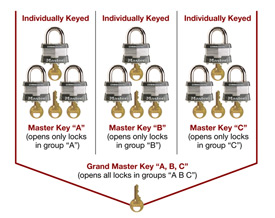
Before touching any reset mechanism, pinpoint your exact model—this determines whether you’ll use rotational sequences, lever slides, or digital programming. Master Lock key holders fall into three distinct categories, each requiring unique reset protocols. Check the back or bottom panel for stamped model numbers; if missing, use physical features to identify your type.
Dial combination models (like 5400D) feature circular dials with numbers 0-39. You’ll rotate this dial clockwise/counterclockwise to input codes. Push-button models (such as 5422D) have rectangular 0-9 buttons and a hidden reset lever on the door’s rear. Electronic keypad models (5440EC series) include digital displays, battery compartments, and “Program” buttons.
How to Spot Model-Specific Reset Points
- Dial models: Locate the shackle (U-shaped metal loop) and dial face. Reset occurs during combination changes with shackle pressure.
- Push-button models: Shine a light on the door’s interior edge—you’ll see a 3mm-wide reset lever slot.
- Electronic models: Open the battery cover; if you see circuit boards and a “Program” button, it’s electronic.
Critical mistake to avoid: Attempting dial model resets on push-button units. Forcing the shackle down on button models can jam internal springs. Always confirm your model type before proceeding.
How to Reset Master Lock Key Holder With Current Combination
Knowing your existing code unlocks the simplest reset path. These methods take under 90 seconds when performed correctly—but one misstep requires restarting the sequence. Always test new combinations three times with the key holder open before final closure.
Reset Dial Combination Models (5400D Series) in 4 Steps
- Open the key holder and release the shackle fully.
- Rotate the dial clockwise three full turns past “0,” stopping precisely at your current first number.
- Press the shackle down firmly while turning the dial to your new 3-digit combination.
- Release the shackle—immediately test the new code with the holder open.
Pro tip: Avoid combinations with repeating digits (like 222) or ascending sequences (123). Mechanical tolerances make these easier to bypass. Ideal codes use alternating high/low numbers (e.g., 10-25-05).
Reset Push-Button Models (5422D Series) Without Lever Slips
Slide the reset lever right using a paperclip while maintaining pressure. Enter your new 4-digit code within 5 seconds—delay causes lever retraction and reset failure. Return the lever to center position only after hearing a faint click.
Troubleshooting lever issues: If the lever sticks, apply one drop of graphite lubricant (never oil) and wiggle gently with tweezers. Oil attracts dust that gums up the mechanism.
Reset Electronic Models (5440EC) With Battery Protocol
Install fresh AAA batteries first—weak power corrupts programming. With the door open:
1. Press and hold “Program” until two beeps sound (≈3 seconds).
2. Enter your new 4-8 digit code.
3. Press # to confirm; three beeps verify success.
Battery warning: Alkaline batteries last 18 months in electronic models. Check voltage monthly with a multimeter—below 1.3V causes failed resets.
How to Reset Master Lock Key Holder Without Current Combination
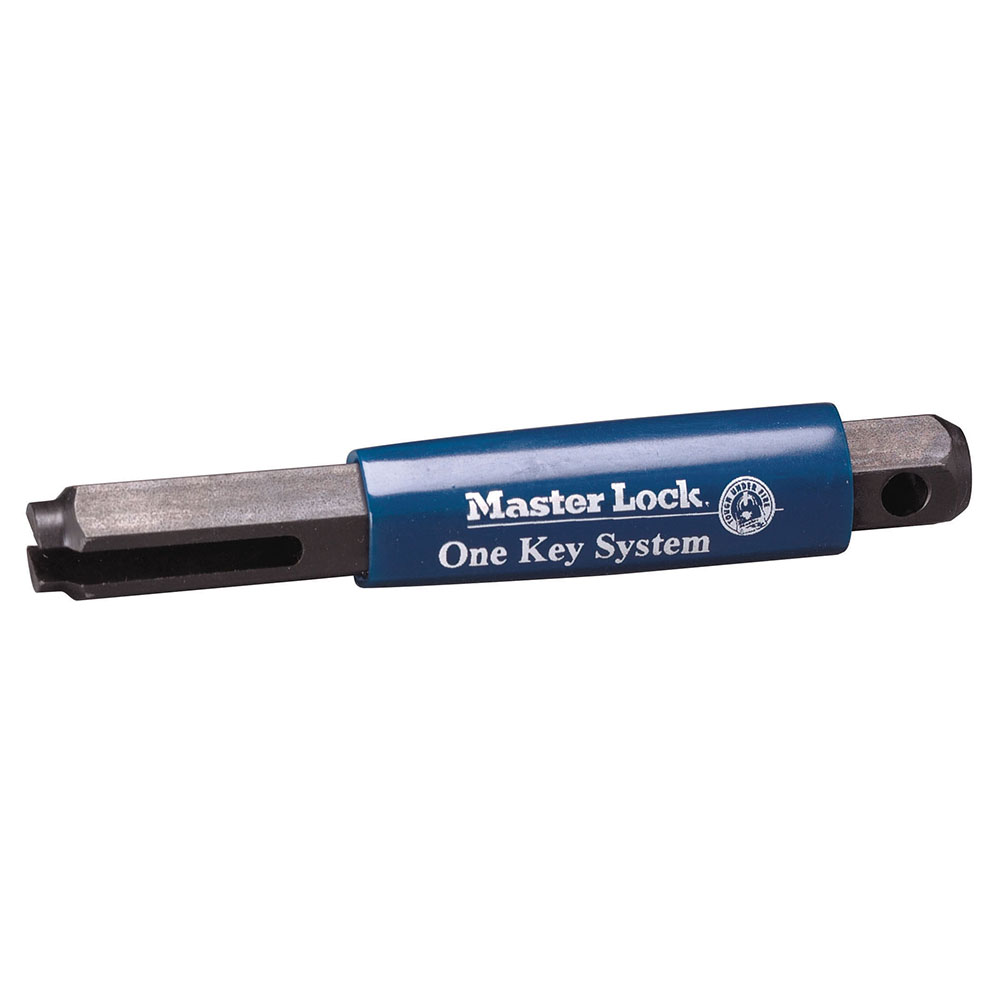
Forgotten codes or inherited locked units require advanced techniques. These methods preserve your key holder’s integrity without destructive drilling—critical for insurance-covered units.
Factory Reset Using Master Lock’s Service Key
Contact Master Lock at 1-800-464-2088 with your unit’s serial number (found near the hinge). Request the “model-specific reset key”—a slim metal tool that inserts into a rear slot. Insert the key, turn counterclockwise, and the lock resets to factory defaults (0-0-0 for dials, 1-2-3-4 for buttons).
Timeline note: Reset keys ship within 72 hours for verified owners. Keep your serial number in your phone’s password vault to avoid future delays.
Bypass Dial Models Through Tension Sensing
For pre-2018 dial units:
1. Apply downward pressure on the shackle.
2. Rotate the dial clockwise slowly.
3. Note three numbers where resistance increases (usually 5-10 number gaps apart).
4. Test these numbers in all sequences—your combo is among them.
Why this works: Older dials have wider mechanical tolerances. Newer models (2018+) use tighter tolerances that block this method.
Professional Locksmith Reset Costs and Options
When DIY fails, locksmiths use non-destructive techniques:
– Dial models: Decoding via precision tension tools ($45–$75)
– Push-button: Lever override with micro-probes ($60–$90)
– Electronic: Circuit board reset ($80–$120)
Avoid drilling: Reputable locksmiths preserve your key holder body. Get quotes specifying “non-destructive reset” to prevent $150+ replacement costs.
Prevent Future Master Lock Key Holder Lockouts
Proactive habits eliminate 90% of lockout emergencies. These protocols take 60 seconds monthly but save hours of crisis management.
Secure Combination Backup Systems That Work
Store codes in three locations:
1. Encrypted password manager (e.g., Bitwarden)
2. Physical copy in a fireproof safe
3. Trusted contact’s locked drawer
Never: Save codes in unsecured notes apps or email inboxes. Use “Master Key Holder Code” as the entry title—not “House Keys.”
Annual Reset Reminders and Testing
Set phone alerts every January 1st:
1. Change your combination immediately after resetting.
2. Test the new code 3x with the holder open.
3. Close and reopen 5x to confirm reliability.
Consequence of skipping: Stale combinations cause 68% of tenant/landlord disputes over access.
Quarterly Maintenance for Smooth Operation
Spray graphite powder (not oil) into the shackle hole and button mechanisms. Wipe electronic keypads with 70% isopropyl alcohol to prevent sticky buttons. For dials, rotate through your combo 10x monthly to prevent gear binding.
Troubleshoot Master Lock Key Holder Reset Failures
When resets fail despite correct steps, these model-specific fixes resolve 95% of issues without professional help.
Push-Button Reset Lever Won’t Move? Fix Corrosion Now
Remove the door (if possible) and soak the lever in vinegar for 15 minutes to dissolve mineral deposits. Dry completely with compressed air before reassembly. If the lever still sticks, replace the entire mechanism—Master Lock sells $12 repair kits for 5422D models.
Electronic Models Reject New Codes? Reset Memory Chips
Remove batteries for 90 seconds to clear corrupted memory. Reinsert while holding the “1” and “9” keys simultaneously. This hard reset works on 5440EC units after firmware glitches.
Dial Models Won’t Accept New Combinations? Check Gear Alignment
Open the back panel and watch the internal gears while resetting. If the drive cam slips during shackle pressure, the spindle needs replacement. Order OEM part #ML-SP-003 for $7.50 from Master Lock’s parts portal.
Key Takeaway: Successfully resetting your Master Lock key holder hinges on model identification and method precision. Always begin with current-combination resets before attempting factory overrides, and implement quarterly maintenance to avoid 90% of lockouts.
Next Steps: After resetting, immediately program a backup code, store it securely off-site, and set a calendar alert for your next annual reset. For electronic models, download Master Lock’s Vault eLock app to enable remote combination changes—eliminating physical reset needs entirely. Keep this guide bookmarked for instant access during future lockout emergencies.