

Reading with proper posture shouldn’t require contorting your neck or balancing books precariously on your lap. Whether you’re studying dense academic materials, following recipes while cooking, or simply enjoying your favorite novel, a book holder provides the ergonomic support your reading sessions desperately need. Without this simple tool, many readers suffer unnecessary neck strain, hand fatigue, and damaged books from improper handling. This guide delivers practical techniques to maximize your book holder’s potential, transforming how you interact with printed materials while protecting your valuable books from wear and tear.
Selecting Your Ideal Book Holder Model

Desktop Reading Stands for Serious Study Sessions
When your reading involves hours of concentration, choosing the right desktop stand makes all the difference. Fixed-angle models offer rock-solid stability for heavy textbooks but limit your ability to adjust as fatigue sets in. Adjustable stands with multiple positioning options let you change angles throughout your study session, reducing strain during extended reading periods. Look for models with integrated page weights that prevent pages from flipping when air currents move through your space—essential for maintaining your place without finger fatigue.
Compact Holders for On-the-Go Readers
Students and travelers need book holders that fit seamlessly into mobile lifestyles. The best portable options fold completely flat and weigh less than a pound, slipping easily into backpacks or laptop sleeves. These lightweight solutions typically support books up to 2.5 pounds while offering multiple viewing angles. Magnetic page holders represent the ultimate in portability, using small but powerful magnets to secure pages on airplane tray tables or cramped coffee shop surfaces without damaging delicate paper.
Kitchen-Specific Cookbook Stands
Cooking requires a specialized book holder that can withstand kitchen hazards. Premium kitchen models feature splash guards that shield pages from oil splatters and steam while maintaining clear visibility of your recipe. Weighted bases prevent accidental tipping when you reach across the counter, and many include wipe-clean surfaces that resist staining from tomato sauce or curry. Some advanced models combine cookbook holding with tablet stands, letting you reference digital recipes alongside traditional cookbooks during complex meal preparations.
Master the Setup Process
Initial Assembly Without Frustration
Many users struggle with book holder assembly because they skip the critical first step: carefully unpacking and organizing components. Remove protective packaging completely—small parts often hide in foam corners. Lay everything out in order of assembly, typically starting with the base, then support arm, and finally the book platform. Consult your instruction manual to verify all parts are present before beginning assembly, saving you from discovering missing components halfway through the process.
Achieving Rock-Solid Stability
The difference between a wobbly holder and a stable one comes down to proper tightening technique. When connecting components with thumb screws, tighten until resistance increases slightly, then stop—over-tightening plastic parts creates stress points that lead to cracks. Test stability by pressing gently on different areas; if the frame shifts, check whether all connection points are fully engaged. For models with adjustable height, extend only as much as needed for your book size to maintain maximum stability.
Installing Page Security Features
Page holders should be your final assembly step since their positioning depends on your specific book dimensions. Clip-on varieties typically attach to the top edge of the support platform, while magnetic systems require placement on both sides of pages. Position security features approximately one-third of the way from each side for balanced page retention without obstructing text. If your model includes removable weights for added stability, add these only after confirming the base remains steady during normal use.
Perfect Your Book Placement Technique

Standard Positioning for Maximum Comfort
The proper book placement begins with positioning the spine flush against the support platform, not the open pages. Center the book carefully before opening to your reading spot, then adjust the angle until text appears clearly without neck strain. Most readers find the optimal viewing angle falls between 45-60 degrees from horizontal, significantly reducing the forward head posture that causes neck pain during traditional reading. This angle allows your eyes to track lines naturally without excessive head movement.
Handling Bulky Academic Textbooks
Heavy textbooks present unique challenges that require special handling techniques. Always open the book to your target section before placing it on the holder to minimize stress on the spine. Position both page holders to secure opposing pages, preventing the book from closing under its own weight. For particularly thick volumes, extend the support platform fully or remove extension pieces if available to distribute weight evenly across the base.
Protecting Delicate Paperbacks
Paperbacks need gentler handling to prevent spine damage during holder use. Place the book with its back cover against the support platform rather than the spine, then open carefully to your page. Use the minimum tension necessary on page holders to keep pages flat—excessive pressure creates permanent creases. Position holders closer to page corners rather than near the spine to avoid stress points that can cause pages to separate from the binding over time.
Optimize Viewing Angles for Your Environment
Preventing Neck Strain with Proper Height
Position your book holder so the top third of your reading area sits at or slightly below eye level when you’re in your natural reading posture. This crucial adjustment eliminates the upward neck craning that causes fatigue during extended sessions. For standard desk setups, this typically means placing the holder 12-18 inches from your seated position, with height adjustments made either through the holder’s mechanism or by stacking books beneath it.
Managing Light Reflections Effectively
Glare from overhead lighting or windows can make reading uncomfortable even with a perfect holder setup. Start with your book platform perpendicular to your dominant light source, then make small adjustments of 5-10 degrees away from the light to eliminate reflections. Right-handed readers should angle the holder slightly to the left to prevent their writing hand from casting shadows across the page during note-taking sessions.
Creating Efficient Multi-Tasking Setups
When using your book holder alongside other activities, strategic positioning minimizes head movement between tasks. For computer work, position the holder at a 30-degree angle between your primary workspace and screen line of sight. Cooking applications benefit from angling the holder away from heat sources while maintaining clear recipe visibility—typically 15-20 degrees from perpendicular to your workstation.
Solve Common Book Holder Problems
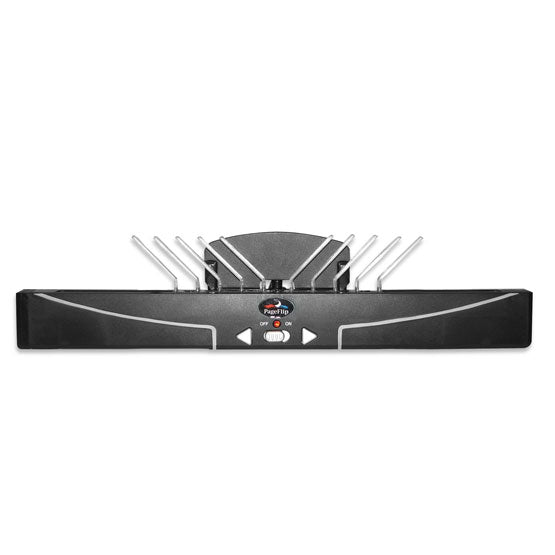
Fixing Books That Won’t Stay Open
New books often resist lying flat due to stiff bindings. Gently break in the spine by opening the book at several points and pressing down lightly with your palms. For stubborn paperbacks, place the book face-down overnight with light weights on the covers to encourage flexibility. As a last resort, use a hair dryer on low heat 6 inches from the spine for 30 seconds to warm the binding before opening—never apply direct heat.
Stabilizing a Tipping Holder
Persistent tipping usually indicates an uneven surface or improper weight distribution. Check that all base corners make full contact with your surface—adhesive furniture pads can compensate for minor table imperfections. Add temporary weight to the base extension using a book weight or small object, but avoid extending the support platform beyond recommended limits for your book’s weight.
Preventing Unexpected Page Flipping
Drafts from fans or air conditioning commonly cause pages to flip unexpectedly. Reposition your holder away from direct airflow or use page clips at all four corners for secure retention. For kitchen use, create a temporary windbreak using a cookbook or folder placed behind your recipe. If static electricity causes pages to stick together, lightly dust page holders with anti-static spray designed for electronics.
Extend Your Holder’s Lifespan
Daily Care for Long-Term Reliability
Wipe down your book holder with a soft, dry cloth after each use to remove fingerprints and dust that can interfere with adjustment mechanisms. Kitchen models require slightly more attention—use a damp cloth with mild soap for grease removal, followed by thorough drying to prevent water damage. Clean page holders weekly to prevent oil transfer from hands to book pages during use.
Monthly Maintenance for Smooth Operation
Disassemble adjustable components monthly to remove debris from moving parts. Use compressed air to clean adjustment mechanisms and screw threads without damaging components. Apply a tiny drop of silicone lubricant to metal contact points—never use petroleum-based products that can degrade plastic parts over time. Check all connections during this maintenance session, tightening any loose components gently.
Proper Storage Techniques
Always collapse or fold your book holder completely before storage to prevent component warping. Store in a cool, dry location away from direct sunlight, which can fade colored plastics and weaken materials over time. Portable models benefit from protective cases or soft cloth wrapping to prevent scratches during transport. Never stack heavy items on stored holders, as this can bend or distort critical components.
Mastering book holder techniques transforms reading from a passive activity into an ergonomic, comfortable experience that protects both your body and your books. Implement these positioning strategies to eliminate neck strain and hand fatigue during extended reading sessions, while safeguarding valuable materials from damage. Start with basic placement techniques, then refine your setup based on your specific reading environment and needs. Whether you’re conquering academic texts, following complex recipes, or enjoying leisure reading, the right book holder configuration creates a hands-free experience that enhances both comfort and productivity. Remember that the perfect setup adapts to your unique requirements—experiment with angles and accessories until you find your ideal reading solution.


